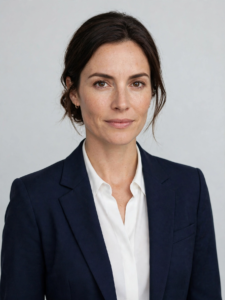


Bright Office Smiling LinkedIn Headshot
Keep the woman in the uploaded photo entirely herself — her face transferred faithfully, feature for feature, with zero reshaping or smoothing — and give her a bright, modern LinkedIn headshot. She wears a teal blouse, standing in a sunlit office with desks and windows blurred far behind her, daylight giving her skin a healthy, true tone. Head and shoulders with headroom for the circle crop, a warm open smile, looking straight into the lens. A real photograph, sharp on the eyes, no beauty filter, no text, no watermark, no other people.
Copies the prompt, then opens Gemini. Paste it in the chat box and press send.
Expert insight: why this works
For client-facing and sales roles, the warmest credible photo usually wins. Bright blurred offices beat studio formality when the job is relationships. Expert insight: Office backgrounds can accidentally include readable screens or other workers — the prompt forbids both, but scan the blur anyway. A single ghost face in the background is the classic reason this style needs a second generation.
How to use this prompt
Copy the prompt
Press Use this prompt. It copies the full prompt for you.
Open Gemini
Gemini opens in a new tab, or in the app on your phone.
Paste and send
Paste the prompt in the chat box and press send.
Add your photo
Upload a clear photo of yourself first to match likeness.